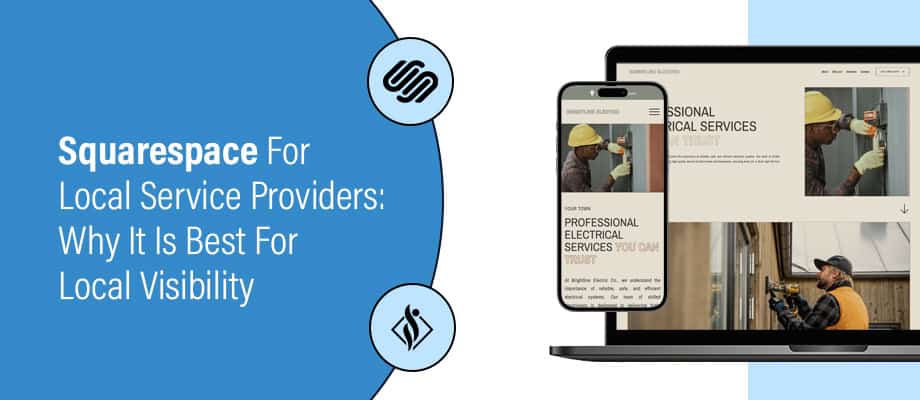
WordPress vs Squarespace: Which Is Better for Freelancers?


When you’re freelancing, your website does more than just showcase your portfolio, it’s your 24/7 pitch. Whether you’re a designer, writer, coach, developer, or consultant, you need a platform that helps you stand out, convert leads, and grow your brand. Two of the most talked-about options? Squarespace and WordPress.
So, which one’s right for you? Let’s break it down clearly and directly.
Content Overview
Comparing WordPress vs Squarespace
Squarespace is an all-in-one website builder. It is a subscription-based model, you pay a monthly fee, and they handle everything from hosting, updates, and security to basic marketing tools.
WordPress provides two options self-hosted version and open source. The self-hosted version is very similar to Squarespace, but the open-source version gives you total control over your website.
Ease of Use
- Squarespace is made for people who don’t want to get into technical details and just want an easy-to-build website. Its drag-and-drop editor is smooth. You can move things around visually, click to edit text, and hit publish. You’re not stuck on menus or complex coding.
- WordPress takes a bit more effort to get used to. While you can use visual builders like Elementor or Divi, you still have to deal with hosting, plugins, and themes. If you’ve never touched a backend before, it can feel like a maze at first.
Verdict: If you’re new to building websites, Squarespace is going to feel like less of a headache.
Design and Customization
- Squarespace has a collection of 100+ polished, modern templates. They look great right out of the box. But if you want to move sections around or create something that’s not built into the template, you’ll hit some limits.
- WordPress has more than 8000 free themes but also gives you complete creative freedom, it has no boundaries for customization. from building a sleek photography portfolio with parallax effects or launching a full-featured online course with gated content, memberships, and automated email workflows. With the right combination of plugins or custom development, WordPress can handle just about anything you envision.
Verdict: Squarespace is ideal for those who value simplicity and ease of use, while WordPress is better suited for those who prioritize flexibility and advanced customization.
Features and Functionality
- Squarespace includes everything in its ecosystem. You get image galleries, a blog, scheduling tools, contact forms, and eCommerce. Great for a freelancer offering services or selling digital products.
- WordPress is modular, you start with a basic site and add features as you need them. WordPress has more than 59,000 plugins in its collection. Need a contact form? Install a plugin. Want SEO tools? Plugin. Want to create a membership site? Just add the right plugin.
With the right plugin, it can do a lot, but you’ll need to set things up yourself.
Verdict: If you’re okay with a little tinkering, WordPress can do almost anything. Squarespace gives you what you need, but not everything you might want.
Cost Comparison
- Squarespace plans range from $16 to $49/month. That includes hosting, templates, security, and basic features. No surprise charges. But, over time, it adds up.
- WordPress is free—but only the core software. Hosting costs anywhere from $5 to $30/month depending on your provider. Add paid themes or plugins, and you’re easily looking at $100–$200/year or more.
Verdict: If you’re after a site that just works, Squarespace is predictable. If you’re watching your budget and want more control, WordPress could cost less if you manage it right.
SEO and Marketing Tools
- Squarespace has decent built-in SEO. You can edit meta titles, descriptions, and alt tags. It also comes with some basic email marketing tools and integrations like Mailchimp or Google Analytics.
- WordPress crushes it in this area. With plugins like Yoast SEO or Rank Math, you get full control over structured data, redirects, breadcrumbs, and more. Email integrations are endless. You can link it to CRMs, marketing funnels, pop-ups and much more.
Verdict: If you’re serious about brand visibility and conversions, WordPress has the edge.
Maintenance and Security
- Squarespace takes care of all updates, security patches, and maintenance automatically. You don’t have to manage anything manually, which is especially helpful when you’re focused on client work.
- WordPress requires more care to keep the website secure. You need to keep your plugins, themes, and core software updated. If you don’t, your site might break or get hacked. WordPress has plugins to maintain security ,You can use them to automate updates or hire someone, but it’s your responsibility.
Verdict: If you want to set it and forget it, Squarespace wins. If you don’t mind the extra work for more control, WordPress is fine.
Content Ownership and Portability
This one matters more than people think.
- With Squarespace, your content is hosted on their platform. You can export the content generated by you like blog posts, the tools provided by Squarespace, such as product listings or design styles, can’t be fully transferred. If you decide to switch platforms later, some manual effort will be required.
- With WordPress, you own everything. Your content, your database, your files—it’s all yours. You can export and migrate whenever you want.
Verdict: Long-term thinkers usually lean toward WordPress.
Analytics and Integrations
- Squarespace has built-in analytics that are decent for tracking visitors, page views, and conversions. You can also connect to Google Analytics or Facebook Pixel, but integrations are limited to what Squarespace allows.
- WordPress gives you the freedom to integrate anything: advanced tracking, heatmaps, behavior funnels, or custom event tracking. If you’re marketing aggressively or want to test what’s working, WordPress is more powerful.
Use Case Breakdown: Which One is Better for You?
Different freelancers have different needs, so choosing the right platform depends on your specific use case. Here’s a breakdown based on common freelancer types:
| Freelancer Type | Better Platform |
|---|---|
| Graphic Designer | Squarespace |
| Web Developer | WordPress |
| Copywriter / Blogger | WordPress |
| Photographer | Squarespace |
| Consultant / Coach | Squarespace |
| Digital Marketer | WordPress |
Conclusion
There’s no universal choice when it comes to Squarespace vs. WordPress, it all depends on the kind of freelancer you are.
- Creative freelancers such as designers, photographers, and coaches often choose Squarespace for its sleek templates and ease of use, perfect for quick, professional-looking portfolios or service sites.
- Tech-savvy freelancers such as developers, marketers, and content creators prefer WordPress for its flexibility, advanced features, and full control over customization and SEO.
As a freelancer, your time is best spent doing what you do best, not wrestling with templates, plugins, or code. No matter your niche, we’re here to support your website journey with expert solutions. Whether you’re looking for a visually compelling site through our Squarespace development services or a fully customized, scalable platform with our WordPress development services, we provide tailored website solutions designed to meet your specific goals and help your freelance business grow.
I am working as a WordPress & Squarespace Developer at Samarpan Infotech, My expertise encompasses a wide range of skills, theme customization, plugin integration, API Integration. I strongly believe in the motto, "Success is not the key to happiness, happiness is the key to success; if you love what you are doing, you will be successful.