How to Keep Shopify Costs Under Control While You Scale
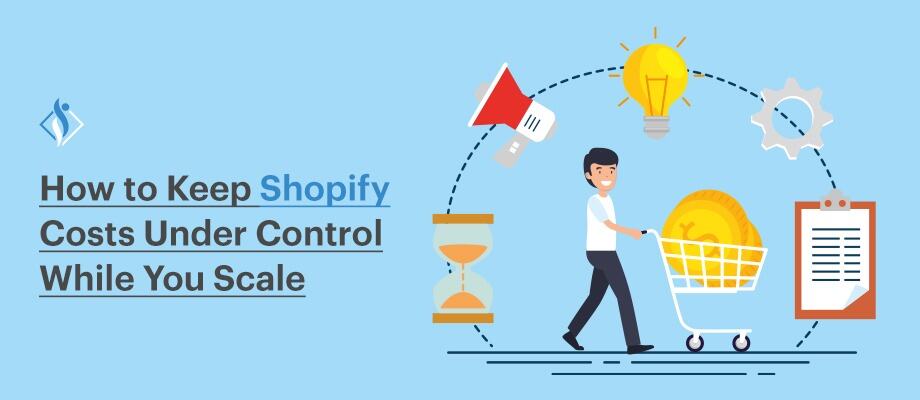

For many Shopify merchants, growth looks exciting on the surface. Orders increase, ads start converting, and the store finally feels like it has found momentum. But scaling is not just a revenue story. As sales grow, so do the hidden costs behind fulfillment, apps, support, payments, and acquisition. That is where many stores begin to feel what can be called the “Success Tax”, the reality that higher revenue does not always translate into higher profit.
What works at $10,000 a month often breaks at $100,000 a month. A healthy scaling store is not just one that sells more, but one that controls costs while expanding. That is why Shopify growth needs stronger systems, better cost discipline, and closer attention to metrics like customer acquisition cost (CAC) and lifetime value (LTV).
Why Costs Increase Significantly When You Scale
Growth in ecommerce rarely happens without operational expansion. As order volume increases, businesses must invest in marketing, logistics, technology, and customer support to keep the store running smoothly. What once worked for a small store often becomes inefficient at scale, which is why operational costs tend to rise alongside revenue.
Here are 10 common areas where Shopify store costs increase as the business grows.
- Platform & Transaction Fees: As sales volume grows, payment processing fees and Shopify transaction charges scale proportionally. Small percentage fees that seem minor at low volume can translate into thousands of dollars at higher revenue levels.
- Logistics & Fulfillment Operations: Higher order volumes increase shipping, packaging, warehousing, and fulfillment costs. Without optimized logistics systems, shipping expenses can quickly become one of the largest operational costs.
- Customer Acquisition Costs (CAC): As brands try to reach new audiences, advertising costs on platforms like Google, Meta, and TikTok rise. Competition increases bidding prices, making each new customer more expensive to acquire.
- App and Technology Stack Expansion: Scaling stores often add multiple apps for marketing, analytics, subscriptions, reviews, and automation. Over time, these monthly subscriptions accumulate and significantly increase operational expenses.
- Inventory and Stock Management: Growing sales require larger inventory purchases. This ties up capital in stock, increases warehousing costs, and creates risk if products do not sell as expected.
- Customer Support Operations: More customers mean more questions, order tracking requests, return inquiries, and support tickets. Scaling often requires hiring additional support staff or investing in automation tools.
- Product Returns and Refunds: Ecommerce return rates are typically higher than retail. According to industry reports, online return rates can reach 20-30%, which increases reverse logistics costs and impacts margins.
- International Selling Complexity: Expanding to new countries introduces costs related to international shipping, currency conversion, customs duties, and compliance with local tax regulations.
- Technology Integrations and Automation Tools: As operations grow, businesses integrate CRM systems, analytics platforms, marketing automation tools, and fulfillment software. Each integration adds subscription costs and maintenance complexity.
- Cash Flow and Working Capital Pressure: Scaling requires higher spending on inventory, marketing, and operations before revenue is realized. Payment processing delays and advertising spend can create short-term cash flow challenges.
Understanding these cost drivers is essential for sustainable growth. Shopify stores that scale successfully usually focus not only on increasing sales but also on controlling operational expenses through better systems, automation, and strategic planning.
10 Ways to Keep Your Shopify Store Costs Under Control While You Scale
1. Platform and Transaction Costs
As your Shopify store grows, platform and payment-related fees grow with it. What seems like a small percentage at low sales volume can become a major monthly cost at scale
Payment processing fees in ecommerce typically range between 2.4% and 2.9% per transaction, depending on the plan and payment method. In addition, merchants using external payment gateways may face extra Shopify transaction fees of up to 2% on lower-tier plans. When revenue increases, these combined fees can take a noticeable portion of overall sales.
Reduce Fees by Matching Your Plan and Payment Setup to Your Revenue
- Review whether your current plan still makes financial sense: A plan that worked at lower revenue may become expensive at higher volume if third-party transaction fees keep stacking up. Shopify’s own pricing shows lower third-party fee percentages as you move up from Basic to Grow to Advanced.
- Use Shopify Payments where it fits your business: Shopify states that when you use Shopify Payments, you avoid additional third-party transaction fees on eligible orders processed through Shopify Payments, Shop Pay, Shop Pay Installments, and some manual payment methods.
- Enable Shop Pay to improve checkout efficiency: Shopify says its checkout converts 15% better on average than other commerce platforms, which matters because better conversion can help absorb part of your fee burden.
- Check the full cost, not just the monthly subscription: The decision should not be based only on plan price. It should include monthly platform fees, card processing, third-party transaction fees, and the value of features you actually use.
For Example
Here is a simple example for a store generating $100,000 in monthly revenue.
If the store stays on a lower plan and uses an external gateway:
- Payment processing fee at 2.9% = $2,900
- Additional Shopify transaction fee at 2% = $2,000
Total monthly cost = $4,900
If the store moves to a better-fit Shopify plan and uses Shopify Payments:
- Payment processing fee at 2.6% = $2,600
- Additional Shopify transaction fee = $0
Total monthly cost = $2,600
Estimated monthly difference = $2,300
Estimated yearly difference = $27,600
2. Logistics and Fulfillment Costs
Shipping and fulfillment usually become much more expensive as order volume grows. Once a store starts handling more daily orders, the business has to manage storage, packing, shipping, delivery speed, and fulfillment software at a much larger scale.
Shopify notes that fulfillment costs include receiving inventory, storage, packing, shipping, and related systems, so growth increases costs across several layers at once.
Lower Shipping and Fulfillment Cost Per Order
- Move to a 3PL when in-house fulfillment stops being efficient: Once order volume rises, a 3PL can reduce manual workload and improve shipping economics. Shopify says 3PL providers can reduce logistics costs by 20% to 35%, depending on the setup.
- Use inventory across multiple regions: Storing stock closer to customers reduces shipping distance, delivery time, and zone-based shipping costs.
- Optimize packaging size: Using the smallest practical box helps reduce dimensional-weight charges and oversized package surcharges.
- Set smart free-shipping thresholds: Shipping costs are a major conversion issue. Baymard reports that 48% of shoppers abandon checkout because extra costs such as shipping, tax, and fees are too high, so free shipping should be structured carefully to protect margins while still supporting conversion.
Case Study: One recent fulfillment case cited by ShipBob reported shipping times improving from 5.2 days to about 3.6 days while reducing fulfillment cost by more than $2 per order after inventory was spread across multiple US fulfillment centers.
Example Cost Breakdown
Imagine a store shipping 3,000 orders per month.
If the store fulfills in-house:
- Average fulfillment and shipping cost per order = $8
- Total monthly fulfillment cost = $24,000
If the store improves its setup and reduces cost by even $2 per order:
- Average fulfillment and shipping cost per order = $6
- Total monthly fulfillment cost = $18,000
At scale, small operational inefficiencies multiply. A $2 inefficiency per order becomes a $60,000 annual problem at 2,500 monthly orders.
3. Customer Acquisition Costs (CAC)
As Shopify stores grow, acquiring new customers usually becomes more expensive. Over time, brands may reach a point where each additional customer costs significantly more than earlier ones.
Industry benchmarks suggest that customer acquisition costs have increased steadily across ecommerce as more brands compete for the same audience attention, making it harder to scale profitably through paid ads alone.
Reduce Customer Acquisition Costs Through Smarter Growth Channels
- Invest in customer retention: Encouraging repeat purchases through email marketing, loyalty programs, and post-purchase engagement can significantly reduce reliance on paid acquisition.
- Build organic traffic through SEO and content: Search traffic, product content, and educational resources help bring in customers without ongoing ad spend.
- Improve ad targeting using customer data: Using data from past purchases and behavior helps focus advertising budgets on high-intent audiences.
- Develop affiliate and influencer partnerships: Affiliate and creator partnerships shift marketing costs toward performance-based models, where you pay only when a sale occurs.
- Increase conversion rates: Improving product pages, checkout experience, and site performance helps generate more revenue from existing traffic.
4. Managing App and Technology Costs
As Shopify stores grow, it is common to install more apps to handle marketing, reviews, subscriptions, analytics, shipping, and automation. Each app may only cost $10–$50 per month, but over time these subscriptions accumulate.
Many stores end up paying for multiple tools that perform similar functions, which increases both cost and technical complexity. In addition to higher monthly expenses, too many apps can also slow down store performance and create integration conflicts.
Simplify and Optimize Your Shopify Technology Stack
- Review apps regularly: Conduct periodic audits to identify apps that are no longer used or that provide limited value.
- Consider custom development for simple features: Instead of paying $20–$30 per month for a simple function such as a size chart, banner, or countdown timer, consider custom Shopify development for a one-time implementation.
- Replace multiple apps with multifunction tools: Using platforms that combine several features can reduce the number of separate subscriptions.
- Use Shopify’s built-in features where possible: Shopify continues to add native capabilities for analytics, automation, and marketing, which may replace some third-party apps.
- Evaluate the revenue impact of each app: Assess whether a tool contributes to sales, conversions, or operational efficiency before continuing to pay for it.
- Keep the technology stack lean: A simpler system is usually easier to manage, faster for customers, and more cost-efficient.
For Example,
Imagine a store using 12 Shopify apps with an average cost of $35 per month.
- Total monthly app cost = $420
- Total yearly app cost = $5,040
If the store consolidates tools and removes unnecessary apps, reducing the stack to 6 apps:
- Total monthly app cost = $210
- Total yearly app cost = $2,520
Estimated yearly savings = $2,520
5. Inventory and Working Capital Management
As a Shopify store scales, inventory becomes one of the largest financial pressures. To support higher sales volume, businesses must purchase more stock in advance. This often ties up large amounts of cash in inventory sitting in warehouses or fulfillment centers.
If demand forecasting is inaccurate, merchants may face two costly problems: stockouts, which result in lost sales, or excess inventory, which increases storage costs and ties up capital that could be used for marketing or product development.
Improve Inventory Planning and Cash Flow Efficiency
- Use inventory forecasting tools: Inventory planning tools can analyze historical sales data and seasonal demand to estimate how much stock will be needed.
- Track sales trends and SKU performance: Monitoring product performance helps prioritize fast-moving items and reduce investment in slow-selling products.
- Negotiate better supplier payment terms: Arranging Net-30 or Net-60 payment terms allows businesses to sell inventory before paying suppliers, which improves cash flow.
- Use smaller, more frequent inventory orders: Instead of ordering large batches, ordering smaller quantities more frequently can reduce the amount of cash tied up in stock.
- Automate inventory alerts and stock monitoring: Automated alerts help prevent stockouts while avoiding over-ordering.
Related Read: How AI Integration Can Help Logistics and Supply Chain Businesses Scale Operations
6. Customer Support Operations
As order volume increases, customer support requests increase as well. Many of these inquiries are routine questions such as “Where is my order?”, product details, return requests, or shipping updates. Without efficient systems, scaling stores often need to hire more support staff just to keep up with incoming tickets.
Research from customer support platforms shows that “Where is my order?” (WISMO) questions can account for up to 40–50% of ecommerce support requests, which means a large portion of support workload is repetitive and predictable.
Reduce Support Costs Through Automation and Self-Service
- Create a self-service help center: A well-structured FAQ or help center allows customers to find answers without contacting support.
- Provide automated order tracking: Sending automated shipping and delivery updates reduces the number of WISMO inquiries.
- Use AI chatbots for common questions: AI chatbots can automatically answer routine questions related to order status, return policies, and product details.
- Use a centralized support platform: Customer support tools help manage email, chat, and social media inquiries from a single dashboard.
- Standardize responses with templates: Using response templates helps support teams resolve common questions faster.
Related Read: 5 Best Shopify Chatbot Apps
7. Product Returns and Refunds
Returns are a normal part of ecommerce, but as order volume increases, return-related costs grow quickly. Each return involves reverse shipping, inspection, restocking, and sometimes product loss. This means businesses often lose both the original shipping cost and the return shipping cost, along with the revenue from the order.
According to the National Retail Federation, online return rates can reach 20–30% in many ecommerce categories, making returns one of the biggest margin pressures for growing online stores.
Reduce Return Rates with Better Product Information
- Improve product pages: Clear product descriptions, specifications, and usage details help customers make more informed purchasing decisions.
- Add product videos and multiple images: Showing products from different angles or in real-life use helps customers better understand what they are buying.
- Provide size guides and fit information: For apparel and similar products, accurate sizing information can significantly reduce returns.
- Use customer reviews and ratings: Real customer feedback helps new buyers understand product quality and suitability.
- Strengthen product quality control: Ensuring products meet quality standards before shipping reduces return requests due to defects.
Case Study: A good example is Inherit Clothing, which used Loop’s return tools to shift more shoppers from refunds to exchanges. According to Loop’s case study, the brand increased its exchange rate to 48% of returns and reduced refunds by 35%.
The takeaway is practical: when stores improve the return experience and guide customers toward better-fit replacements instead of straight refunds, they can retain more revenue even when return volume stays high.
8. Workforce and Operational Management
In the early stages of a Shopify store, the founder often manages everything, from marketing and product sourcing to customer support and fulfillment. As the business grows, this quickly becomes unsustainable. More orders, marketing campaigns, and operational tasks require additional people and management.
However, hiring full-time employees increases payroll costs, training time, and operational complexity. For growing ecommerce businesses, expanding the team without efficient systems can significantly increase operating expenses.
Build a Scalable Team Structure
- Use fractional experts for specialized roles: Instead of hiring full-time executives or specialists, businesses can work with experienced professionals on a part-time or project basis.
- Document workflows with Standard Operating Procedures (SOPs): Recording processes for tasks such as order handling, customer support, and product uploads helps new team members learn quickly.
- Use virtual assistants for repetitive tasks: Routine tasks such as order monitoring, product listing updates, and support responses can often be handled by trained virtual assistants.
- Use automation tools to reduce manual work: Automation can handle tasks such as tagging customers, sending follow-up emails, and managing routine workflows.
- Use AI tools for content and operational support: AI tools can assist with writing product descriptions, creating marketing copy, and generating product images, reducing the time required for manual work.
9. International Sales and Compliance Costs
As Shopify stores grow, many merchants begin selling to international customers. While global sales create new revenue opportunities, they also introduce additional operational costs and complexity. Businesses must deal with currency conversion, international shipping, customs duties, and country-specific tax regulations.
Without the right systems, international orders can lead to delayed deliveries, unexpected import fees for customers, and higher support requests. Managing compliance across multiple markets can also become time-consuming for growing ecommerce teams.
Simplify International Selling Operations
- Use Shopify Markets for localization: Shopify Markets allows merchants to manage multiple countries from one store by automatically adjusting currency, language, and pricing.
- Display duties and taxes clearly at checkout: Providing clear information about international taxes and duties helps prevent unexpected charges for customers.
- Use services that manage international tax compliance: Merchant-of-record platforms or global commerce tools can handle VAT, customs duties, and tax compliance across different countries.
- Offer region-specific shipping options: Different shipping methods and carriers may be more cost-effective depending on the destination.
- Consider regional fulfillment for high-volume markets: If a particular country generates significant sales, storing inventory in a nearby fulfillment center can reduce shipping costs and delivery times.
Related Read: How to Localize Your Shopify Store for Global Sales
10. Cash Flow and Payout Timing
As a Shopify store scales, cash flow management becomes more important. Even when the business is profitable on paper, timing gaps between spending and payouts can create short-term financial pressure. Merchants often spend heavily on advertising, inventory, and operations before revenue from those sales reaches their bank account.
Shopify Payments typically transfers funds within a few days depending on the region, but when daily marketing spend and inventory purchases increase, even a short delay can affect working capital.
Improve Cash Flow Stability During Growth
- Monitor cash flow regularly: Tracking inflows and outflows helps identify periods where expenses may temporarily exceed incoming revenue.
- Maintain a financial buffer: Keeping a reserve for operating expenses helps protect the business from short-term fluctuations in sales or advertising performance.
- Use financing tools strategically: Revenue-based financing or ecommerce funding tools can help support inventory purchases or marketing campaigns during growth phases.
- Align inventory purchases with sales forecasts: Planning inventory orders carefully helps prevent large cash outflows that could strain operations.
- Control advertising spend relative to revenue: Scaling ad budgets gradually while monitoring return on ad spend helps maintain financial stability.
10 Steps Shopify Store Cost Control Checklist

Conclusion
Scaling a Shopify store brings new opportunities, but it also introduces operational challenges that many merchants underestimate. As revenue grows, costs related to payments, logistics, marketing, technology, and support often increase at the same time. Without the right systems in place, these rising expenses can reduce margins even when sales are increasing.
The difference between a $1M store and a $10M store is not just marketing. It is operational efficiency. The brands that scale profitably are the ones that build systems early.
The key to sustainable growth is not simply selling more products but building efficient systems that support expansion. By optimizing payment structures, controlling technology costs, improving logistics, managing inventory carefully, and using automation where possible, Shopify stores can scale while protecting profitability.
In many cases, long-term cost control comes from a stronger technical foundation. Instead of depending on too many third-party apps, businesses can use custom Shopify development to improve performance and reduce recurring costs. Samarpan Infotech helps brands build custom features and more scalable Shopify stores that support efficient growth.
I'm currently a WordPress & Shopify developer at Samarpan Infotech, I'm passionate about web development. Beyond coding, I have a curious mind for world affairs and geopolitics, while also enjoying the occasional chess match in my spare time.