5 Best WordPress Image Optimizer Plugins For 2024


Did You Know? Images represent on an average 21% of the total weight of a web page. Images are an essential part of your website. Unoptimized images can slow down the website. Optimized images will improve page experience of your website. So, it is better to select best WordPress image optimizer that can easily optimize images of your website as per your requirements.
What is Image Optimization?
Image Optimization means modifying the image to meet certain requirements of your website. It includes changing the dimensions, resolution, size, and format of the image. The purpose of an optimized image is to make sure that it doesn’t slow down your website and to improve the user experience. It also helps search engine crawlers to read and understand the page context easily.
Image compression and image optimization both are different. Image compression is a part of the process for optimizing an image.
How Do WordPress Image Optimizer Works?
The main goal of WordPress image optimization is to reduce the size of the image without affecting the quality of an image. This process can be done in many ways.
- Reducing Image Resolution:
It can be done by reducing the width and height of the image. - Removing Metadata of Image:
It can be done by removing metadata like creation date, copyright information, shutter speed, geolocation, and many more. - By Changing Image Formats:
This can be done by changing formats of images like JPEG to PNG, PNG to JPEG, JPEG to WebP, and many more formats.
Which Are Best WordPress Image Optimizer Plugins?
1. EWWW Image Optimizer
EWWW Image Optimizer is one of the best WordPress image optimizers for optimizing over-sized images of your website. More than 900,00 website owners use this plugin to optimize images of their websites. The average rating is 4.7 out of 5 stars with 1250+ reviews on WordPress.org. More than 1150 people gave a complete 5-star rating to EWWW.
Key Features
- Optimizes most popular formats like JPG, PNG, GIF, and PDF.
- It automatically resizes the images as per the max dimensions.
- Easy conversion of image formats like PNG to JPG.
- It also creates and serves WebP images for your website.
- Easy compatible with popular top WordPress page builders.
- Enables lazy loading of images.
Pricing
- Free version available – Yes
- Rates of paid version for one month:
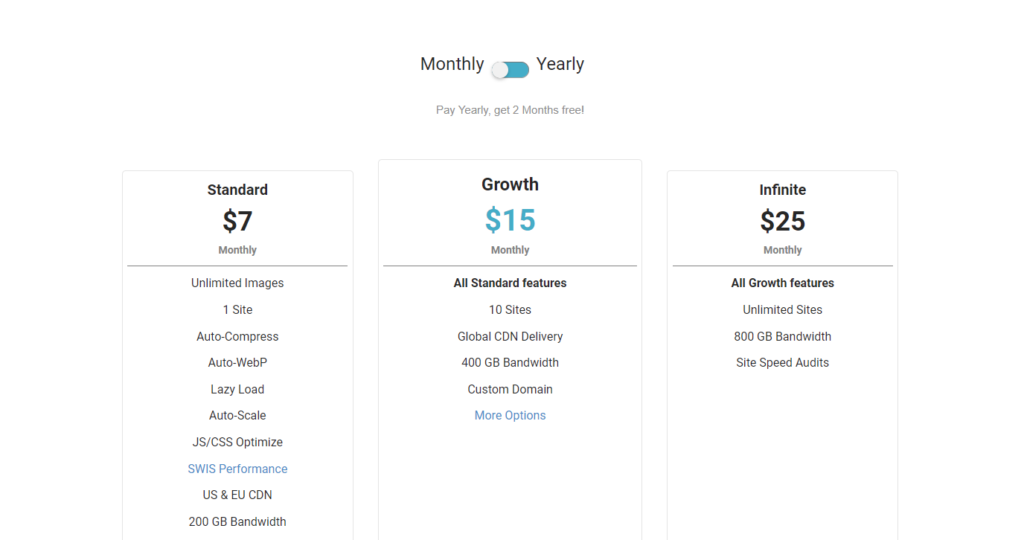
- Standard – $7 for 1 website
- Growth – $15 for 10 websites
- Infinite – $25 for unlimited websites
2. Smush
Smush is the most popular WordPress image optimization plugin available for WordPress websites. It is the most beginner-friendly image optimizer. Smush is used by more than 1 million websites. On WordPress.org, the average rating is 4.8 out of 5 stars with 5750+ reviews. Smush got a 5-star rating from 5235+ users.
Key Features
- It automatically does lossless compression of images.
- You can optimize 50 images at the same time with bulk optimizing option.
- Feature of lossy compression available in paid version only.
- It serves images from CDN also.
- With the pro version, you can convert to WebP images.
Pricing
- Free version available – Yes
- Paid versions are as below for 1 website:
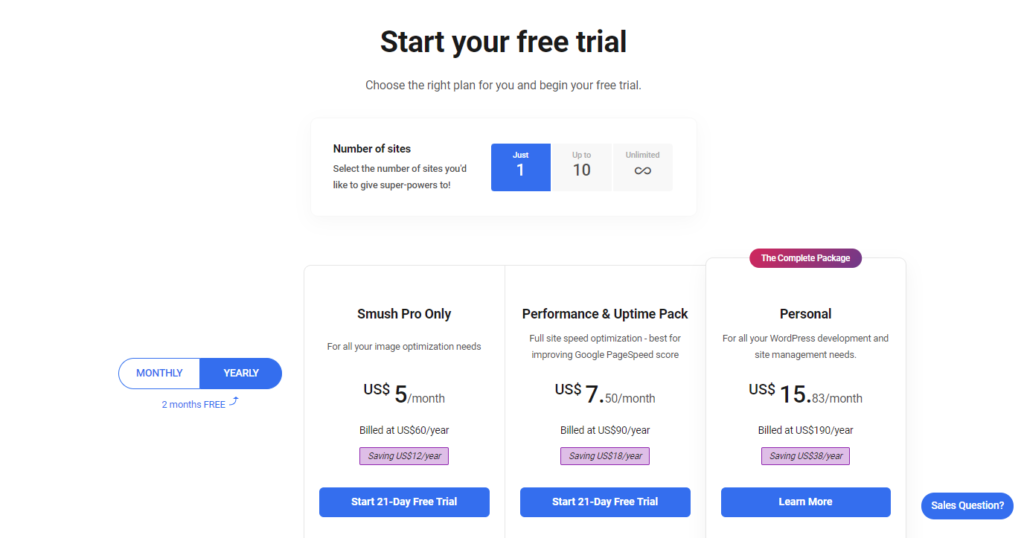
- Smush Pro Only – $5 per month
- Performance & Uptime Pack – $7.50 per month
- Personal – $15.83 per month
3. Imagify
Imagify is one of the advanced WordPress image optimizer plugins for easy optimization of images. It is created by the developers of WP Rocket. 600,000+ website owners use Imagify to optimize their website images. The average rating on WordPress.org is 4.4 out of 5 stars with 1140+ reviews. More than 925 users rated Imagify a complete 5-star.
Key Features
- Creates WebP images and serves to supported browsers.
- You can easily back up the original image.
- A simple and easy-to-use interface.
- You can resize the images based on percentage also.
- It supports JPG, PNG, animated GIFs, and WebP images.
Pricing
- Free version available – Yes
- Paid versions are listed below:
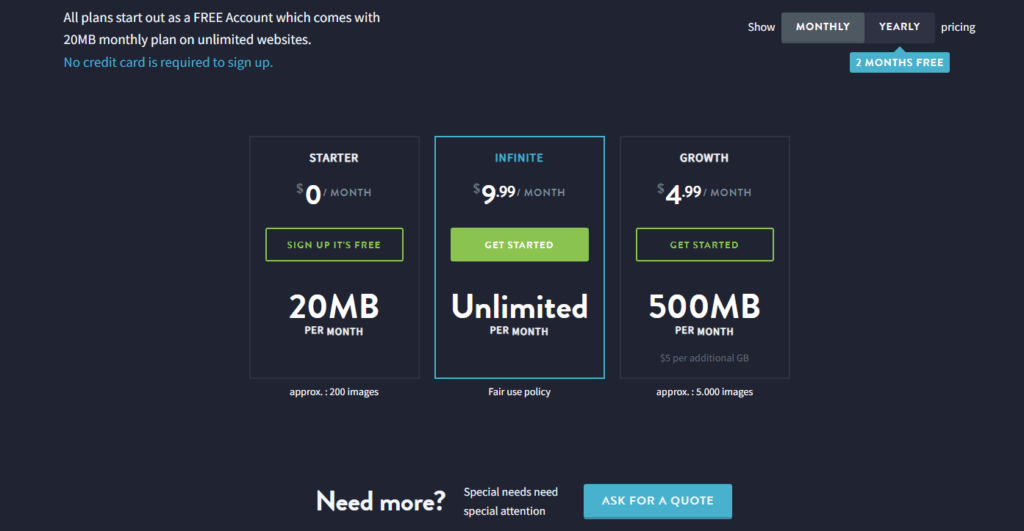
- Growth – $4.99 per month
- Infinite – $9.99 per month
4. ShortPixel
ShortPixel provide freemium WordPress image optimizer plugins. It comes in two versions, ShortPixel Image Optimizer and ShortPixel Adaptive Images. It is actively working on 300,000+ websites. The average rating is 4.6 out of 5 stars with 645+ reviews. More than 560 users rated full 5-star to it.
Key Features
- It automatically optimizes the images using lossy or lossless compression.
- It compresses PNG, animated GIFs, JPG, and PDF documents.
- It keeps the backup of original images.
- It can remove the metadata from image files.
- Easy conversion of WebP images.
Pricing
- Free version available – Yes
- Paid versions are as below for per month:
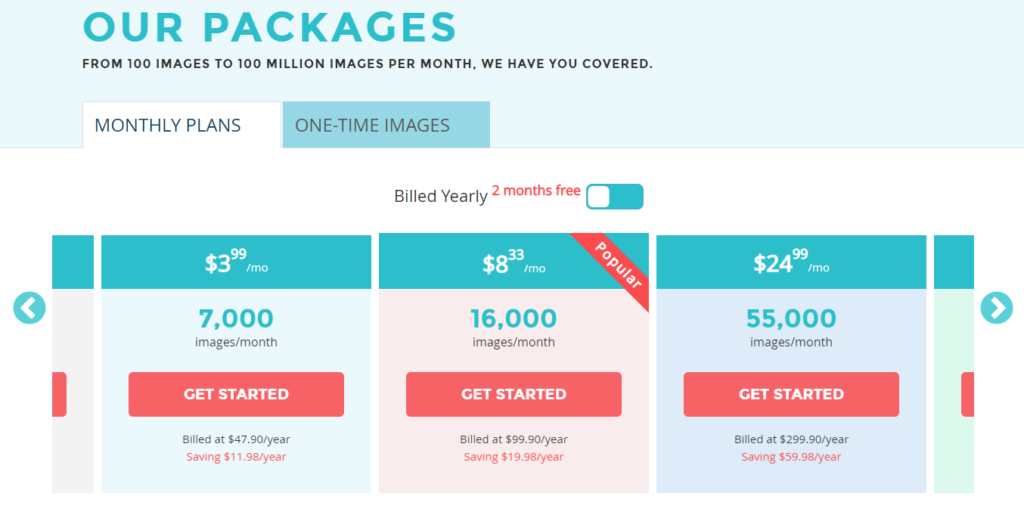
- $3.99 for max 7,000 images
- $8.33 for max 16,000 images
- $24.99 for max 55,000 images
- $41.66 for max 100,000 images
- $83.33 for max 220,000 images
5. reSmush.it
reSmush.it is a free WordPress image optimizer plugin. You can easily optimize your website images based on reSmush.it API. 200,000+ website use reSmush.it for optimizing their websites’ images. On WordPress.org the average rating is 4.3 out of 5 stars with 120+ reviews. More than 95 users rated it a complete 5-star.
Key Features
- You can change your image optimization level as per your needs.
- Option for scheduling image optimization in advance.
- Bulk optimization of images can be done in a few clicks.
- It supports JPG, PNG, BMP, GIF, and TIP image formats.
- Easy backup of original images with the same quality.
Pricing
- The plugin is completely free to use.
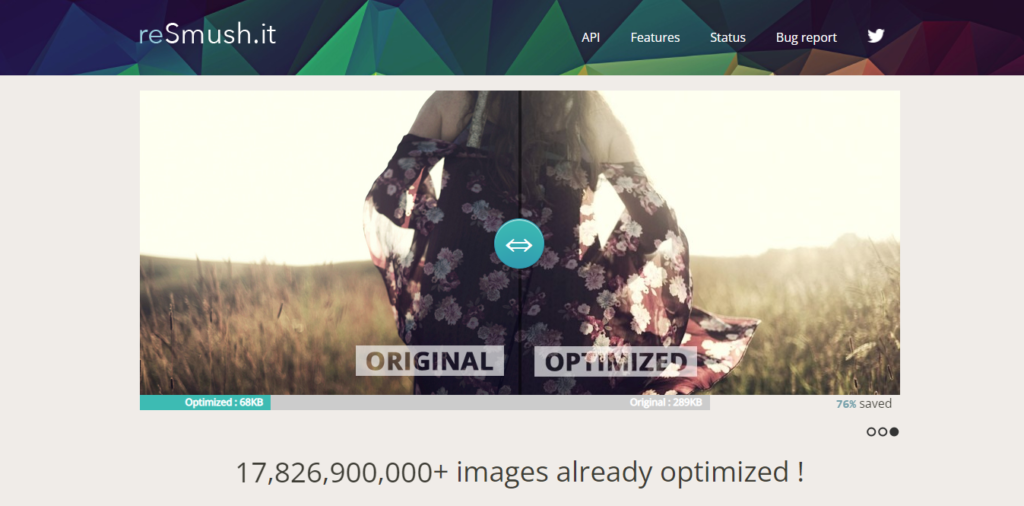
Image optimization plugins will help you to improve the user experience of a high traffic websites like eCommerce store. There are many reliable eCommerce plugins available in the market like Shopify, WooCommerce, BigCommerce, Ecwid, and many others for building a fascinating online store. If you run a WooCommerce store, always research and find ways to speed up WooCommerce store for a better user experience.
FAQs About WordPress Image Optimization
What is the best image format for website speed?
WebP is the perfect answer to your question. It loads faster compared to any other image file format. SVG and JPEG are also good alternatives to it.
What is the highest quality JPEG image?
90% JPEG quality gives the highest resolution image. 80% JPEG quality will provide size reduction with almost no loss in the quality of an image.
Does WordPress automatically optimize images?
Yes, WordPress automatically compresses images up to 90% of quality by using the method called lazy loading. If you want to optimize images more for faster-loading speed, you can use best WordPress image optimization plugins like Smush, Imagify, EWWW Image Optimizer, and many others.
Should I compress images before uploading to WordPress?
Yes, it’s a favorable method for making your website load faster. Compressed images will load faster than uncompressed images on the web page.
Which image format is not suitable for website?
BMP image format is not suitable for websites. BMP files store uncompressed raster images, making them much larger than PNG and JPG files.
Over To You!
Did You Know? 39% of visitors will stop engaging if your website’s images don’t load properly. The days of slow-loading websites are gone. If you wish that visitors stay longer, then you have to optimize your website images properly. Hire our WordPress developer to select and set up the WordPress image optimizer for your website to optimize all images.
I'm currently a WordPress developer at Samarpan Infotech. My interests include Web Development. In my spare time, I enjoy reading and surfing the internet.